%20and%20the%20app%20icon%20(composited%20with%20radiodiodi_label.svg%20in%20radiodiodi_vinyl.svg).%20The%20center%20is%20left%20as%20bare%20body;%20a%20label/cover%20art%20always%20sits%20on%20top.%20--%3e%3csvg%20xmlns='http://www.w3.org/2000/svg'%20width='1024'%20height='1024'%20viewBox='0%200%201024%201024'%3e%3cdefs%3e%3cradialGradient%20id='vinyl'%20cx='50%25'%20cy='42%25'%20r='62%25'%3e%3cstop%20offset='0%25'%20stop-color='%23232323'/%3e%3cstop%20offset='55%25'%20stop-color='%23141414'/%3e%3cstop%20offset='100%25'%20stop-color='%23050505'/%3e%3c/radialGradient%3e%3cradialGradient%20id='sheen'%20cx='42%25'%20cy='34%25'%20r='60%25'%3e%3cstop%20offset='0%25'%20stop-color='%23ffffff'%20stop-opacity='0.14'/%3e%3cstop%20offset='35%25'%20stop-color='%23ffffff'%20stop-opacity='0.04'/%3e%3cstop%20offset='70%25'%20stop-color='%23ffffff'%20stop-opacity='0'/%3e%3c/radialGradient%3e%3c/defs%3e%3c!--%20vinyl%20body%20--%3e%3ccircle%20cx='512'%20cy='512'%20r='500'%20fill='url(%23vinyl)'/%3e%3c!--%20grooves%20--%3e%3cg%20fill='none'%20stroke='%23000000'%20stroke-opacity='0.75'%20stroke-width='3'%3e%3ccircle%20cx='512'%20cy='512'%20r='470'/%3e%3ccircle%20cx='512'%20cy='512'%20r='450'/%3e%3ccircle%20cx='512'%20cy='512'%20r='430'/%3e%3ccircle%20cx='512'%20cy='512'%20r='410'/%3e%3ccircle%20cx='512'%20cy='512'%20r='390'/%3e%3ccircle%20cx='512'%20cy='512'%20r='370'/%3e%3ccircle%20cx='512'%20cy='512'%20r='350'/%3e%3ccircle%20cx='512'%20cy='512'%20r='330'/%3e%3ccircle%20cx='512'%20cy='512'%20r='310'/%3e%3ccircle%20cx='512'%20cy='512'%20r='290'/%3e%3c/g%3e%3cg%20fill='none'%20stroke='%239a9a9a'%20stroke-opacity='1'%20stroke-width='5'%3e%3ccircle%20cx='512'%20cy='512'%20r='462'/%3e%3ccircle%20cx='512'%20cy='512'%20r='434'/%3e%3ccircle%20cx='512'%20cy='512'%20r='406'/%3e%3ccircle%20cx='512'%20cy='512'%20r='378'/%3e%3ccircle%20cx='512'%20cy='512'%20r='350'/%3e%3ccircle%20cx='512'%20cy='512'%20r='322'/%3e%3ccircle%20cx='512'%20cy='512'%20r='294'/%3e%3c/g%3e%3c!--%20light%20sheen%20--%3e%3ccircle%20cx='512'%20cy='512'%20r='500'%20fill='url(%23sheen)'/%3e%3c!--%20outer%20rim%20--%3e%3ccircle%20cx='512'%20cy='512'%20r='499'%20fill='none'%20stroke='%23000000'%20stroke-opacity='0.6'%20stroke-width='3'/%3e%3c/svg%3e)

Features
Built for a station, not a party.
On air
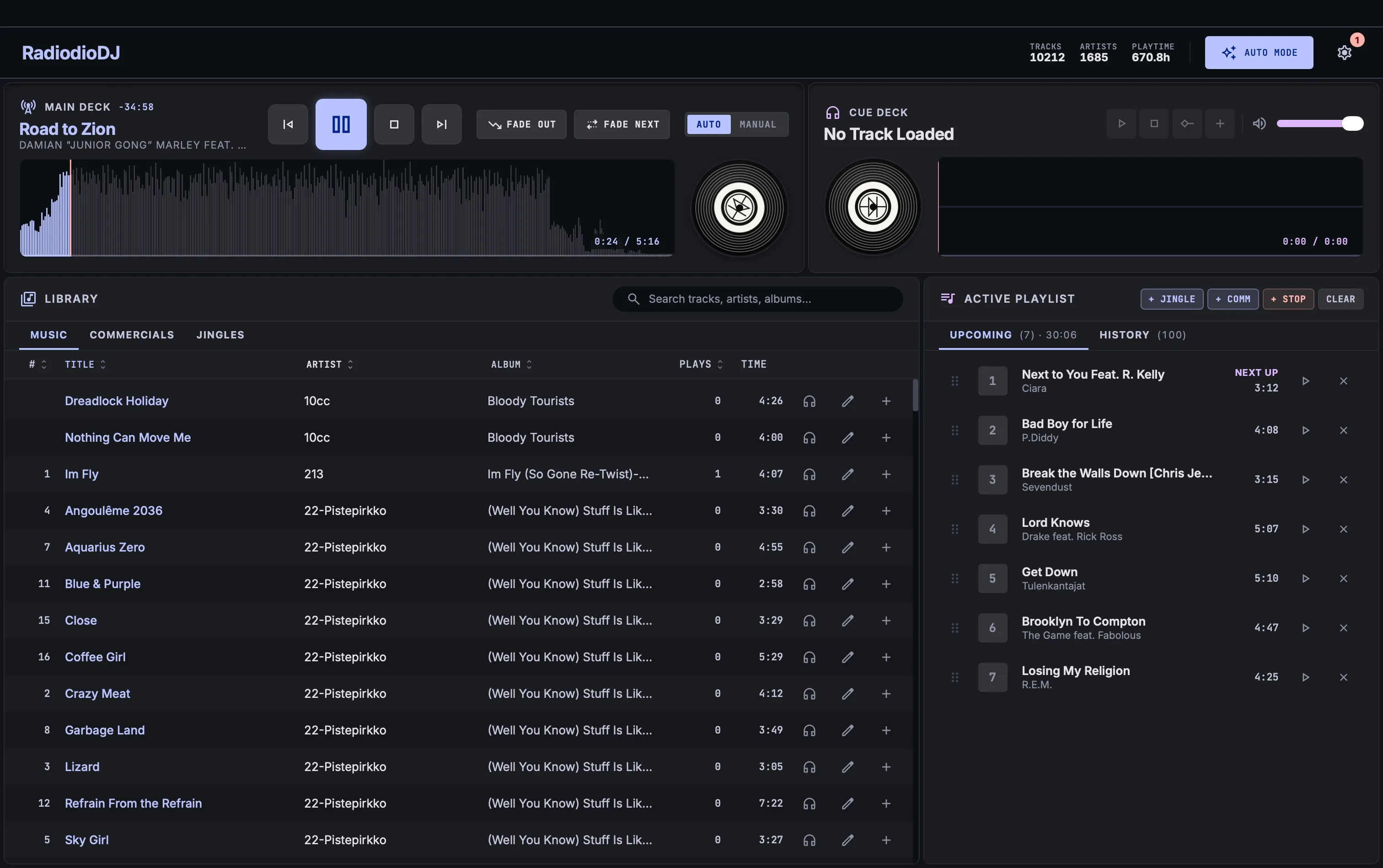
Two-deck program bus
Decks are summed into one output, so two tracks can be audible at once. A transition is a handover at the outgoing track's Next start marker, not a fixed crossfade.
How it worksCue deck
Audition any track on a second output device without touching what is on air, then add it to the playlist.
How it worksAuto or manual
AUTO advances through the playlist, MANUAL stops after each track, and stop markers park the show at a fixed point in the queue.
ReplayGain levelling
Every track is measured against one reference, so a 1970s master and a modern one sit at the same level.
How it works
Cue points
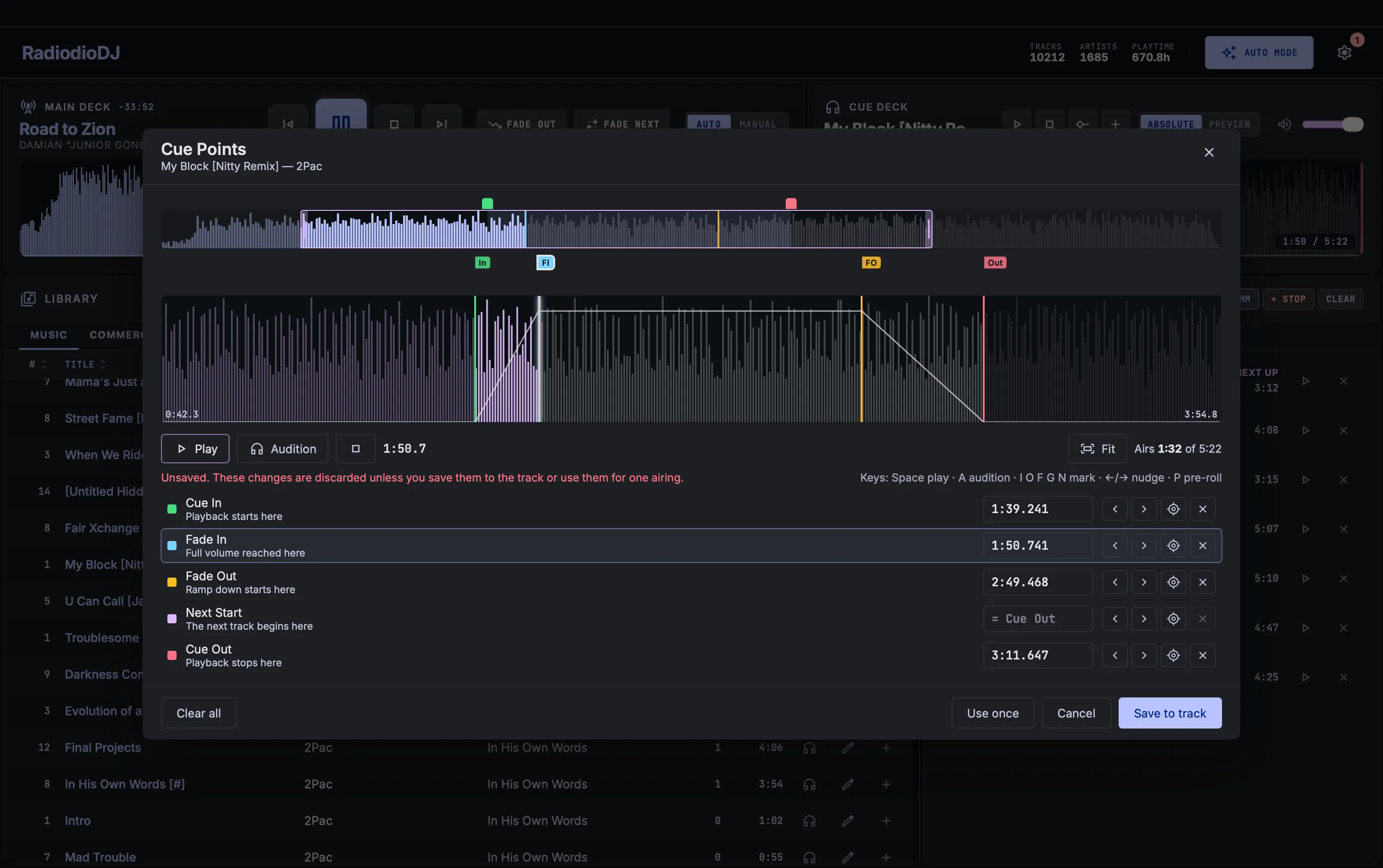
Five markers per track
Cue in, fade in, fade out, cue out and next start, stored in the library and applied at every airing. The audio file is never modified.
How it worksCue editor
A two-strip waveform editor with draggable handles, keyboard nudging, pre-roll and live audition through the cue deck.
How it worksAutomatic cue points
Silence-trimmed starts and ends and a music segue point, derived during analysis. An unprepared library airs tight without anyone touching a marker.
How it works
Library
Three content libraries
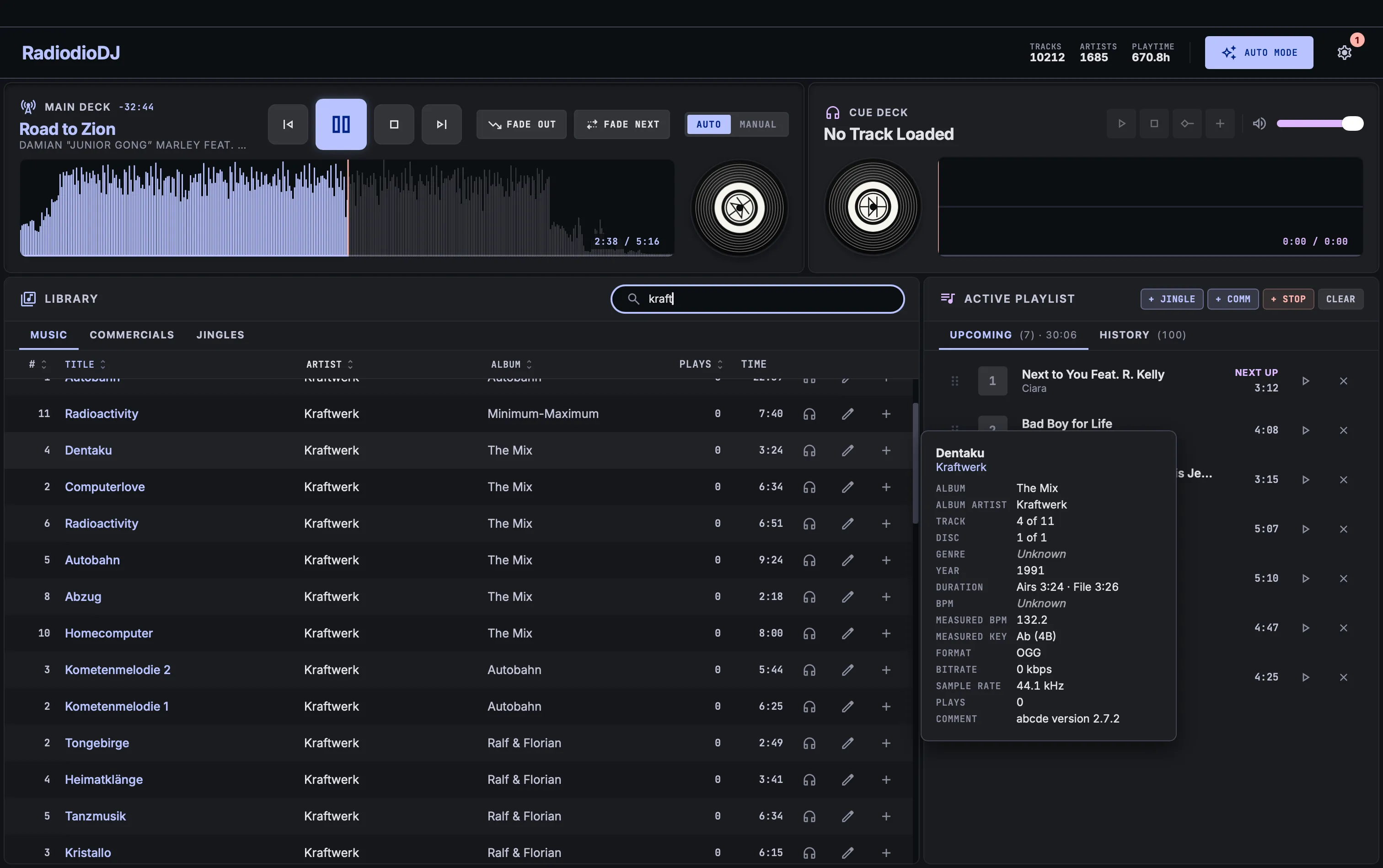
Separate folders and browsing for music, commercials and jingles, with full-text search across the tags.
How it worksStable track identity
Moving, renaming or re-adding files keeps each track's cue points, play count and edits.
How it worksNetwork-share resilience
Tracks are read whole into RAM and prefetched ahead of the playlist, so a share that stalls mid-show does not stall the output.
How it worksLibrary health
Missing tracks, duplicates, unreadable files and disk changes in one report.
How it works
Programming
Auto playlist
Continuous playback that keeps a lookahead buffer queued and refills itself from the music library.
How it worksInterleave
A jingle every 4 music tracks and a commercial every 8, both configurable.
Rotation rules
Never reselect a track, or an artist, that aired inside a configurable window, backed by a persistent airing log.
How it works
Station
Now-playing broadcast
An outbound webhook plus atomic file output for stream overlays, metadata bridges and scripted consumers.
How it worksThemes and identity
Colour schemes as a folder you can write yourself, plus your station name, toolbar logo and record label on the deck vinyl.
How it worksAdmin mode
A password that locks settings and destructive actions while leaving playback, cueing and browsing open to whoever is on shift.
How it works
Download
RadiodioDJ 0.25.1
Windows
Not code-signed yet, so SmartScreen will warn on first run.